
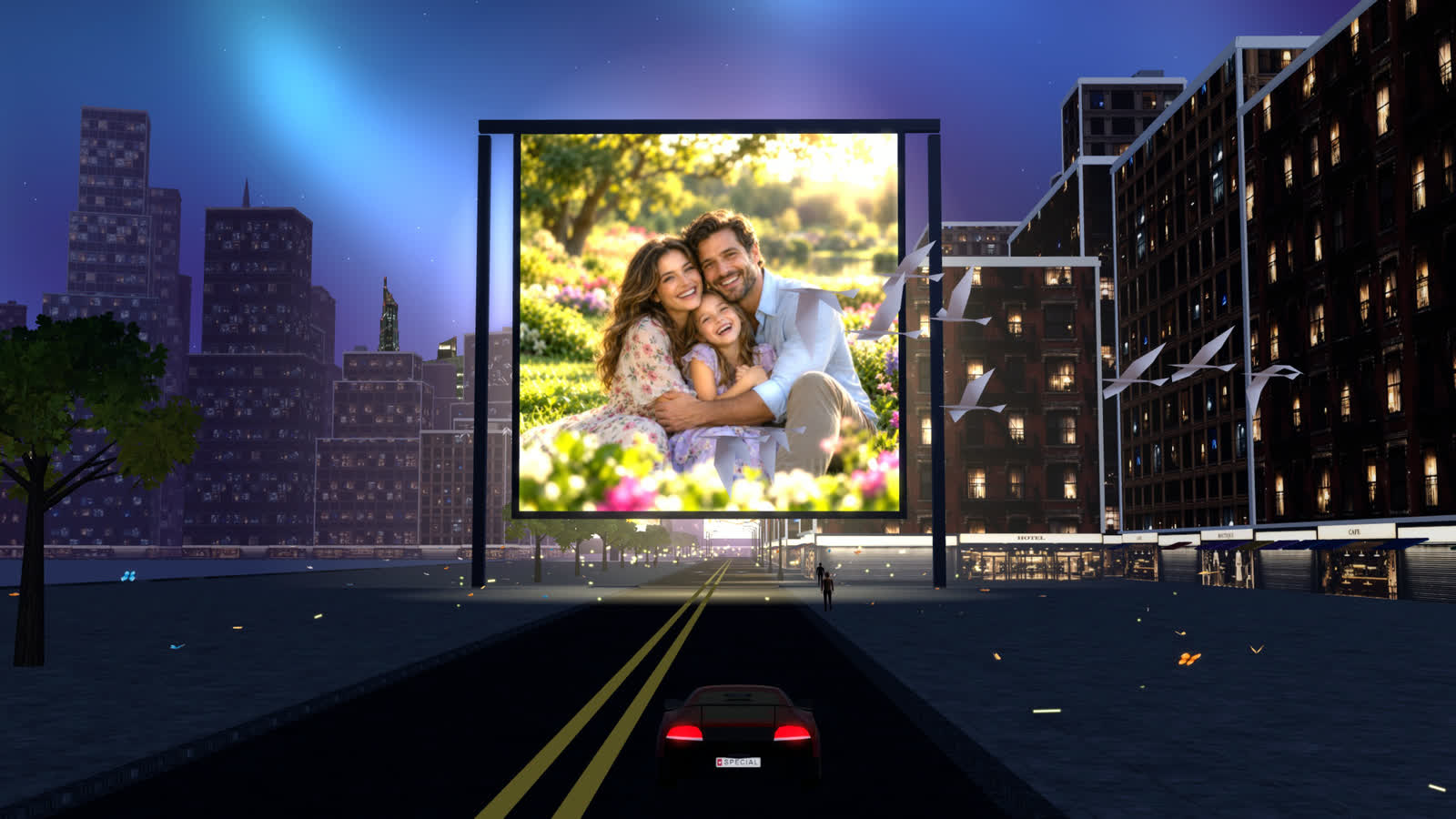
A personalised gift made from your photos
Turn your photos into a beautiful dynamic experience!
Up to 20 photos and a song become a night city they can drive through, or watch as a film.
one-time, yours to keepOne fileyours to keep
Add your photos. Add a song. Pay once and it is yours.
Perfect for
Any day worth remembering.
Made from their own photos, it fits the moments you already share.
- Birthdays
- Weddings
- Anniversaries
- Christmas
- New baby
- Just because
How it works
Three steps, about a minute of waiting.
Add your photos
Up to 20 favourite photos from your phone or computer.
Add a song
An MP3 if you like. Otherwise our soundtrack plays.
Pay and download
About a minute later their city is ready: one file for a phone or computer, theirs to keep. They drive through it, or sit back and watch the film.
What they receive
A gift that is theirs to keep.
- One small fileUsually under 10 MB, easy to send by message or e-mail.
- Phone, tablet or computerIt opens in the browser they already have. No app, no account.
- Works offlineOnce saved, it opens without the internet.
- A copy for youWe e-mail you a receipt, with the file attached when it is small enough for e-mail.
A look inside
Every photo gets its own moment.
The gift
Free right now
One payment. No subscription, no account.
A world will cost , one-time, once payments open. There is no payment step today.
- Up to 20 photos and your own song
- Drive it, or watch the film
- One small file, and a copy by e-mailOne small file to keep
- Phone, tablet and computer
Secure payment by Stripe, in your currency.
Our privacy promise
Your photos are never kept.
- Used once, then deleted. Your photos and song only build your world. If you do not buy, they are deleted when you leave, at the latest 15 minutes after you add them; while you pay, they wait until the payment finishes or is abandoned, then go once your file is downloaded.
- No copy on our side. We keep neither your photos nor the finished world. Your download is the only one.
Questions
Good to know.
What do they need to open it?
Just a web browser on a phone, tablet or computer. Save the file and open it. No app and no account.
Does it work on iPhone?
Yes. On iPhone, open this website in Safari, tap “Open a saved world” and choose the file from Files. It then plays offline. On computers and Android the file opens directly.
Can I change it later?
We do not keep your photos or your world, so a world cannot be edited after it is made. If you made a mistake, e-mail us and we will look into it and do our best to help — usually that means letting you make it again.
Can I get a refund?
Each world is made to order and delivered straight away, so all sales are final. If you made a mistake — a wrong photo, the wrong song, a typo — or you would like a change, e-mail [email protected] and we will look into it. If a payment goes through but we fail to deliver your world, your payment is returned automatically. Refund policy.
Creating a world is free right now. Once payments open, each world is made to order and delivered straight away, so sales will be final; if something goes wrong, e-mail us and we will look into it. Refund policy.
How long does it take?
About a minute after you pay, depending on your photos and connection. Keep the page open until the download is ready.
They already have a world. How do they open it?
On a computer or Android phone the file opens directly. On iPhone, open Open a saved world in Safari and choose the file from Files.
Create
Make their world.
Add your photos, add a song and download your gift.
Add your photos, add a song, pay once and download your gift.
Your photos are deleted once your file is transferred, or within 15 minutes.
Ready when you are
Your order is waiting.
- Add photos and a song
- Pay
- Download and give
Secure payment by Stripe. One-time, no subscription.
Each world is made to order and delivered straight away, so all sales are final. The tick box above asks for immediate delivery, which ends the 14-day right to cancel. Made a mistake or want a change? E-mail [email protected] and we will look into it. Refund policy · Terms · Privacy.
Your photos are becoming a city.
- Sending your photos
- Building your city
- Bringing it to this device
This takes about a minute. Please keep this page open; your screen stays on while we work.
Ready to give
Your world is ready.
Keep the downloaded file and give it to them. On computers and Android it opens directly. On iPhone, open this website in Safari, choose “Open a saved world” and pick the file.